Vector Watercolor Art Brushes Guide
Digital art has evolved significantly, bridging the gap between traditional media and modern design efficiency. One of the most exciting developments in this space is the rise of vector watercolor assets. Unlike standard raster images that pixelate when enlarged, vector graphics maintain crisp edges at any size. When combined with the organic, fluid aesthetic of watercolor painting, these tools offer creators a unique blend of artistic charm and technical versatility. Understanding how to utilize different art brushes within this framework can transform your workflow, whether you are designing logos, creating sublimation prints, or illustrating digital invitations.
The Unique Appeal of Hand-Drawn Vector Aesthetics
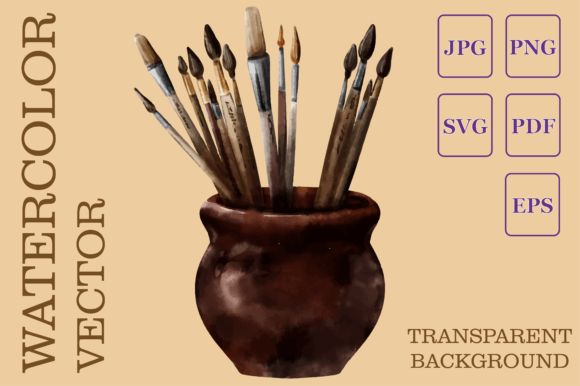
Traditional watercolor is beloved for its unpredictability and soft textures. However, replicating this look digitally often results in flat, uniform colors that lack depth. This is where a vector watercolor drawing made by hand becomes invaluable. These assets are crafted to mimic the natural bleed and texture of real paint while retaining the mathematical precision of vector paths. The result is an image that feels authentic and artistic but behaves like a professional graphic design element.
For beginners and professionals alike, this hybrid approach solves a common problem: scalability. If you have ever tried to print a small watercolor clipart on a large banner, you know the frustration of blurry edges. With vector files, such as SVG and EPS formats, you can scale your artwork from a business card to a billboard without losing a single detail. This makes them ideal for entrepreneurs and small business owners who need versatile branding materials that look polished across all mediums.
Understanding the File Formats Included
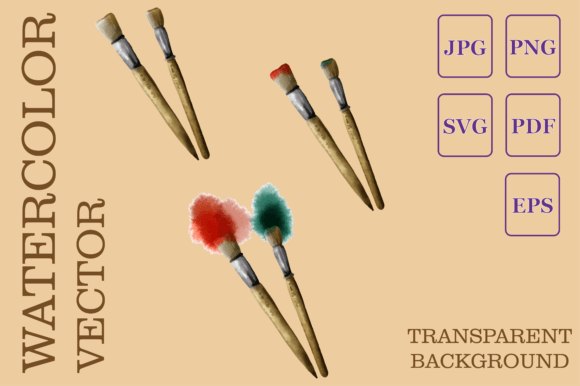
When purchasing or downloading digital art resources, the variety of file types can be overwhelming. A comprehensive package typically includes multiple formats to ensure compatibility with various software and projects. Here is a breakdown of what you usually find in a high-quality bundle and how each file serves a specific purpose:
- SVG (Scalable Vector Graphics): This is the star of the show for many crafters. As a vector graphic, it is perfect for cutting machines like Cricut or Silhouette. It allows for clean cuts and can be used for sublimation printing on mugs, t-shirts, and tote bags. Because it is code-based, it remains sharp regardless of size.
- EPS (Encapsulated PostScript): Another vector format, EPS is widely supported by professional design software like Adobe Illustrator and CorelDRAW. It is essential for designers who need to edit individual paths or colors within the illustration.
- PNG (Portable Network Graphics): While not a vector, a high-resolution PNG with a transparent background offers immense flexibility. It allows you to layer the watercolor elements over photos, patterns, or other graphic elements without a white box surrounding the image. At 300dpi, it is suitable for high-quality digital printing.
- JPEG (Joint Photographic Experts Group): This file comes with a solid white background. It is best used for quick previews, social media posts, or documents where transparency is not required. It is universally compatible with almost every device and software.
- PDF (Portable Document Format): Often included with a solid white background, PDFs are great for printing directly from your browser or sharing proofs with clients. They preserve the quality of the vector data if exported correctly.
Practical Applications for Creators and Businesses
The versatility of these assets means they fit seamlessly into numerous creative and commercial contexts. For educators and bloggers, these graphics can enhance lesson plans, worksheets, and blog headers, adding a warm, inviting touch that sterile stock photos often lack. The transparent PNGs allow for easy integration into website layouts, ensuring that the design complements the text rather than competing with it.
For those involved in print-on-demand businesses, the SVG and EPS files are crucial. Sublimation printing requires high-quality vectors to ensure that designs transferred onto fabric or hard surfaces remain vibrant and clear. Whether you are creating wedding invitations, nursery decor, or seasonal greeting cards, the organic feel of watercolor adds an emotional resonance that appeals to customers looking for personalized, heartfelt items.
Freelancers and marketers can also benefit significantly. Using pre-made vector watercolor elements speeds up the design process. Instead of spending hours painting digital washes, you can assemble professional-looking compositions in minutes. This efficiency allows you to take on more clients or focus on other aspects of your business, such as strategy and customer engagement.
Important Considerations Before You Start
While these digital products offer convenience, there are a few things to keep in mind to ensure a smooth experience. First, remember that this is a digital product for instant download. No physical item will be shipped to your address. This means you must have the appropriate software to open and use the files. For vector formats like SVG and EPS, programs like Adobe Illustrator, Inkscape (a free alternative), or Affinity Designer are recommended. For PNG and JPEG files, basic image editors or even word processors may suffice, depending on your needs.
Additionally, note that mock-ups and fonts shown in promotional images are typically not included in the download. These are used solely for demonstration purposes to show how the final product might look in a real-world setting. You will need to source your own fonts and background scenes if you wish to replicate specific styles seen in previews.
It is also wise to check the licensing terms associated with the download. Most creators allow for both personal and commercial use, but restrictions may apply regarding mass production or resale of the digital files themselves. Always read the included license agreement to protect your business and respect the artist’s work.
Enhancing Your Creative Workflow
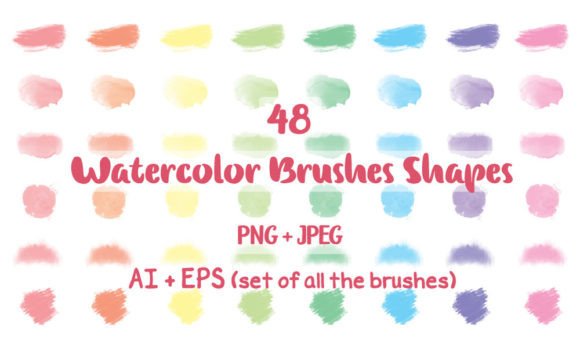
Integrating different art brushes and vector watercolor elements into your toolkit can elevate your design game. Start by experimenting with layering. Combine the transparent PNGs with solid shapes or typography to create depth. Use the SVG files to create custom decals or stickers, taking advantage of the clean lines that vector graphics provide.
For beginners, start simple. Try using the JPEG or PDF files for personal projects like printable wall art or greeting cards. As you become more comfortable, explore the SVG and EPS files in vector editing software. Learn how to ungroup elements, change colors, and modify shapes. This hands-on practice will build your confidence and expand your creative possibilities.
Ultimately, the goal is to make crafting and designing more enjoyable and less technically daunting. By leveraging these high-quality, ready-to-use assets, you can focus on the joy of creation rather than getting bogged down in technical limitations. Happy crafting!