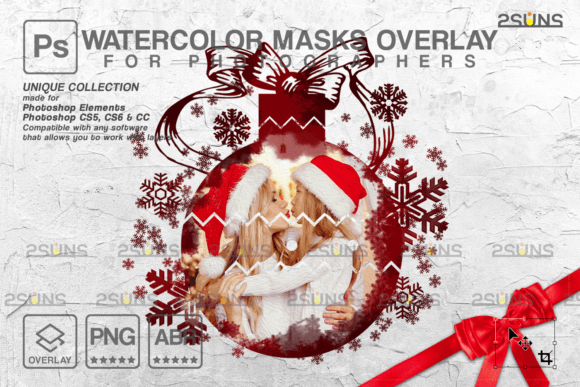
Elevate Designs with Christmas Watercolor Overlays
Transforming a standard holiday graphic into a captivating visual experience often hinges on the subtle integration of texture and depth. By incorporating a Christmas Overlay or utilizing sophisticated Watercolor Masks, designers can instantly add an organic, hand-painted feel to digital compositions. These elements bridge the gap between traditional artistry and modern digital precision, offering a unique aesthetic that resonates with audiences seeking warmth and authenticity in their visual communications.
The Power of Textural Depth in Digital Design
In the realm of professional graphic design, flat colors and rigid vectors sometimes lack the emotional resonance required for seasonal campaigns. This is where Watercolor overlay techniques become invaluable. They introduce irregularities, soft edges, and fluid color blends that mimic natural media. When applied correctly, these textures enhance the visual hierarchy, guiding the viewer’s eye through the composition while adding a layer of sophistication that pure digital tools often struggle to replicate effortlessly.
For branding and brand identity projects, consistency is key, but so is distinctiveness. Using high-resolution Watercolor Textures allows businesses to maintain a cohesive look across various touchpoints while injecting personality. Whether it is for a boutique coffee shop’s holiday menu or a luxury retailer’s email newsletter, the soft, bleeding edges of watercolor can soften corporate rigidity and create a more inviting user experience.
Versatile Applications for Creative Assets
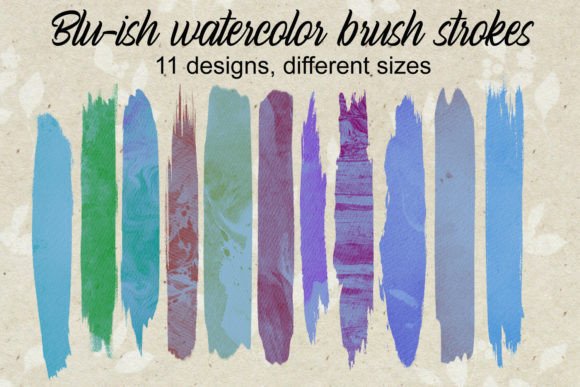
The utility of this specific set, which includes three high-resolution PNGs and one ABR file, extends far beyond simple photo editing. Because these assets are compatible with any software that supports layers—such as Photoshop, Photoshop Elements, Paint Shop Pro, and PicMonkey s Photo Editor—they fit seamlessly into diverse design workflows. Here is how you can leverage these tools across different mediums:
- Social Media Graphics: Create eye-catching posts for Instagram or Pinterest by blending product photos with festive watercolor splashes to increase engagement.
- Packaging Design: Add a tactile, premium feel to physical products by using watercolor masks as background elements on labels and boxes.
- Editorial Layouts: Enhance magazine spreads or digital blogs with subtle textural backgrounds that improve readability without distracting from the typography.
- Web and UI Design: Use soft watercolor accents to break up solid color blocks in landing pages, creating a more organic and less sterile interface.
Technical Considerations for Lightroom Users
While these assets are designed for broad compatibility, it is crucial to note specific requirements for certain platforms. For Lightroom users, please ensure you have a plugin that allows you to work with layers. Without this capability, the full potential of clipping masks and layered overlays cannot be realized within that specific ecosystem. However, for most Adobe Creative Cloud users and other layer-based editors, the integration is straightforward and intuitive.
Maximizing Impact with Photoshop Overlay Techniques
To achieve a polished result, understanding how to manipulate Photoshop overlay modes is essential. Simply placing a texture over an image is rarely enough. Designers should experiment with blending modes such as Multiply, Screen, or Overlay to integrate the watercolor elements naturally with the underlying photograph. This technique ensures that the lighting and shadows of the original image remain intact while the texture adds depth.
Furthermore, utilizing Clipping Masks allows for precise control over where the watercolor appears. This is particularly useful in logo design or when working with complex typography. By clipping the watercolor texture to the shape of text or a logo, you create a custom, integrated look that feels bespoke rather than templated. This level of detail significantly enhances the perceived value of the final design.
Selecting the Right Tools for Your Workflow
When evaluating creative assets like Watercolor photoshop brushes or pre-made PNG overlays, consider the resolution and flexibility they offer. High-resolution files ensure that your designs remain crisp whether viewed on a mobile screen or printed on large-format posters. Additionally, the ability to edit individual layers provides the freedom to adjust opacity, color balance, and positioning, ensuring the asset aligns perfectly with your existing color palette and design goals.
Ultimately, the goal of using these tools is to streamline the design process without sacrificing quality. By having ready-to-use, professional-grade textures and masks, creators can focus more on conceptual development and less on tedious manual painting. This efficiency is vital in fast-paced digital marketing environments where turnaround times are short, but expectations for visual excellence remain high.
Thoughtful integration of watercolor elements can elevate a mundane project into a memorable piece of visual communication. By leveraging these versatile overlays and masks, designers can create work that is not only aesthetically pleasing but also emotionally engaging, fostering a deeper connection between the brand and its audience.